

A few weeks ago, we shared some free resources that can help you and your students with homework. Most of that post focused on helping younger students. “What about helping my middle and high schoolers,” you ask? “They have research papers, term papers, reports and presentations that can be pretty tough to complete.” We agree, and we have some help for your older students, too. Best of all, it’s available anytime and it’s all free.
One of the biggest challenges for Middle and high school students, whether they’re writing a report or finding facts for a presentation, can be finding sources that are reliable. Searching the internet yields mixed results and students then have to sift through the results to verify the source’s trustworthiness. A shorter route to trustworthy information is by using the library’s online encyclopedias and data resources.
Where do I look?
All of the tools can be accessed from the RML website. If you’re at home, you and your student may be prompted to enter a library card number for access to a particular tool, so have it handy. If you or your student is here in our building, using our internet, there’s no library card needed.
In the last post about homework help, we showed you tools on the reedlibrary.org/games-learning page. Some of these tools can also be helpful for older students. Check out that post if you haven’t read it and get acquainted with those tools.
We’re diving a little deeper today, into more student research tools on our “Learn” tab, specifically the “Free Research & Learning” page.
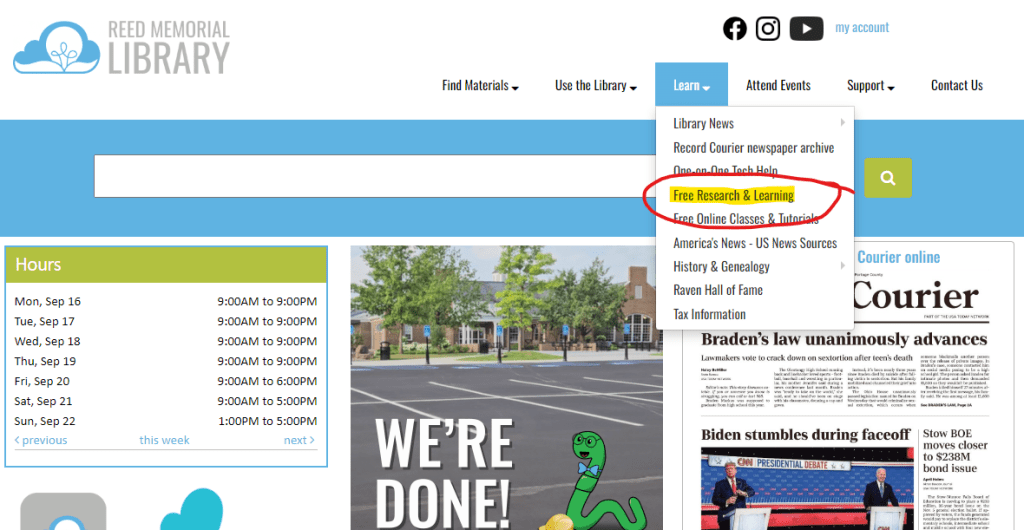
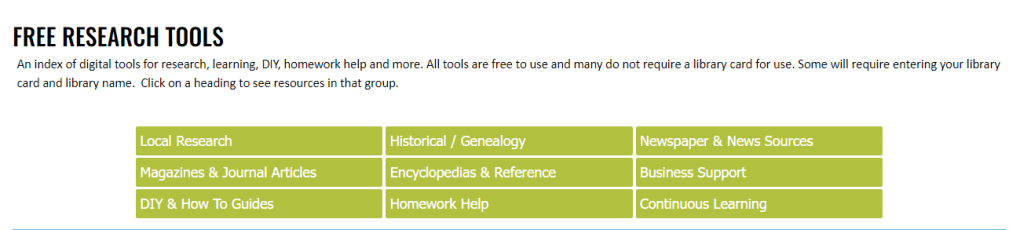
From this page you can select a variety of resource categories. Clicking on a category will bring up a menu of different tools.
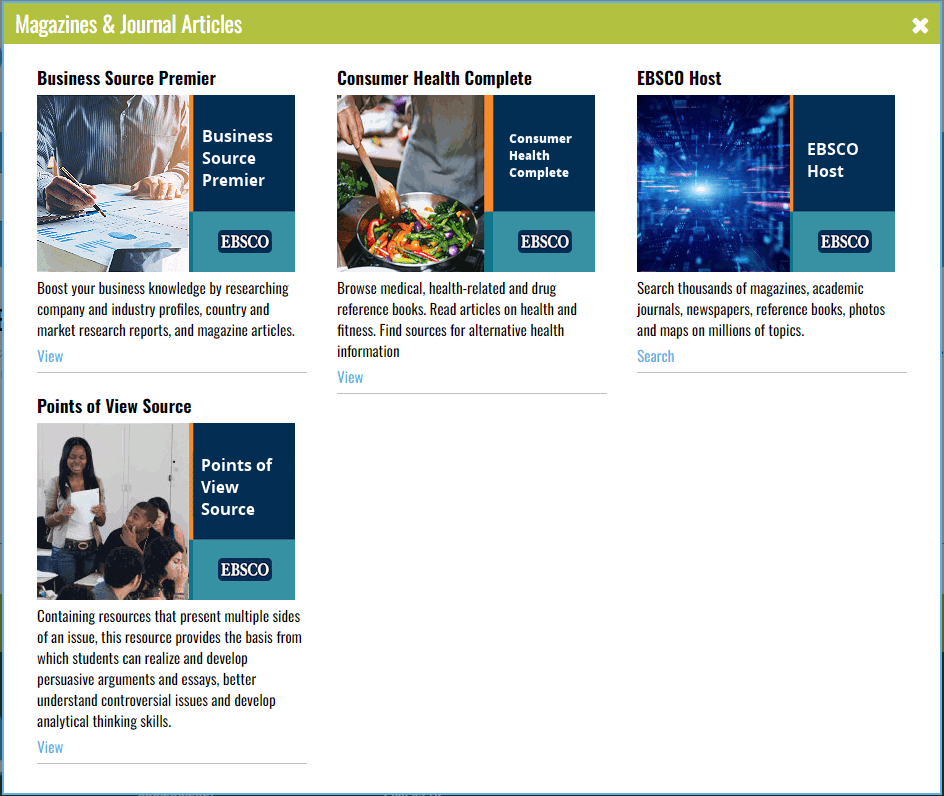
For instance, when you select Magazines & Journal Articles, a popup appears with four different tools. Each tool has a short description of its scope.
Let’s dive deeper
To show you a little bit about how these tools work, we clicked on the Points of View tool. This tool can be very useful when your student is researching a specific topic as it gives facts and then gives you different opinions about a subject. From the Points of View home page, we clicked on the topic Animal Experimentation.
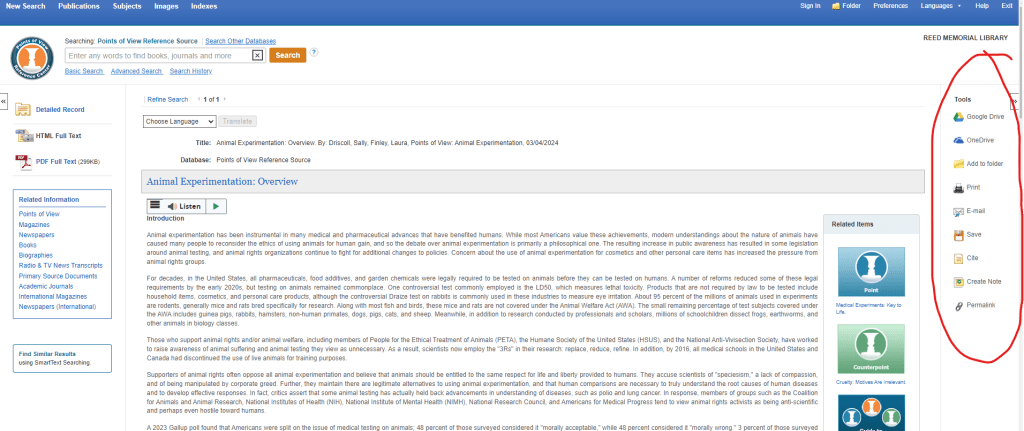
It brought up a discussion (that you may listen to instead of read) about animal rights: how scientists use animals in testing, some specific examples, and links to related articles. On the right is a toolbar where students have options to save, download and cite the sources.
Another example
Each of our free research tools function similarly, with rich search tools and the ability to save, download, print and cite the information found. Let’s look at another, the Science Reference Source, found under the homework help block.
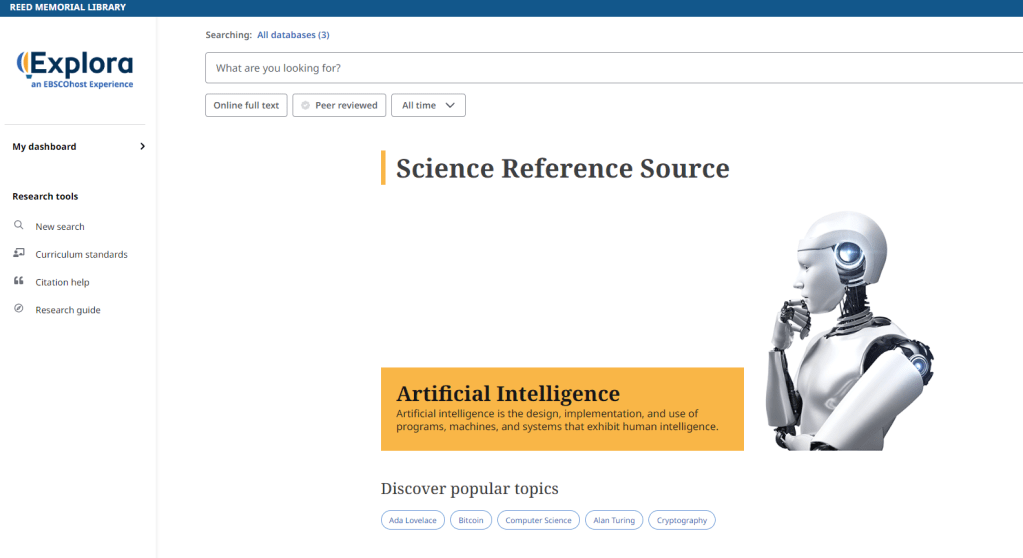
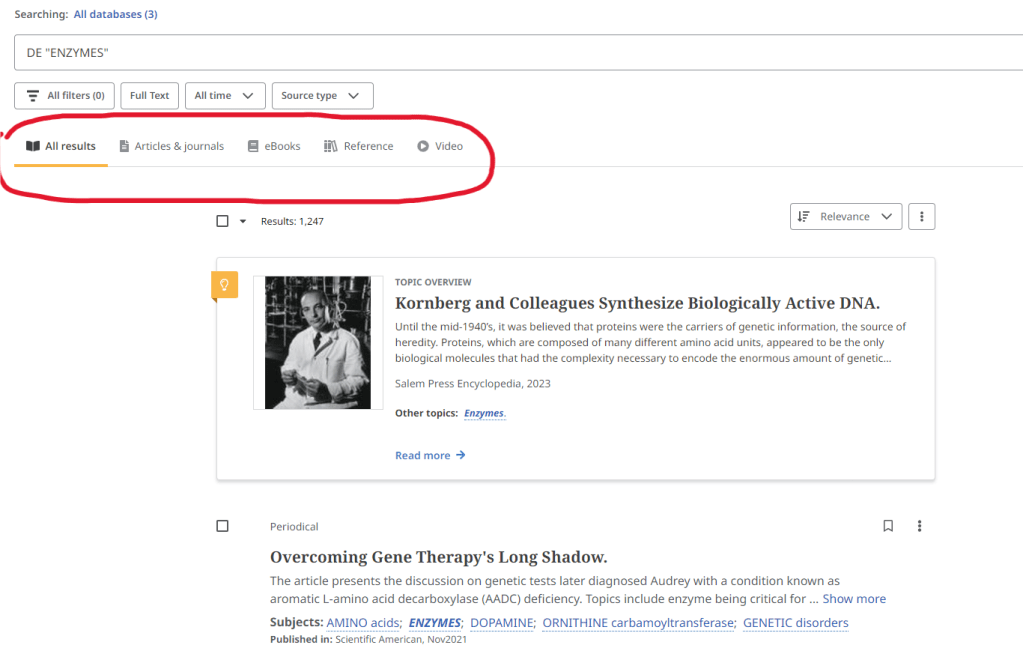
From the Science Reference Source home page, we searched for “enzymes.” From the search results, we may choose to look at articles & journals, books, reference materials, and even videos.
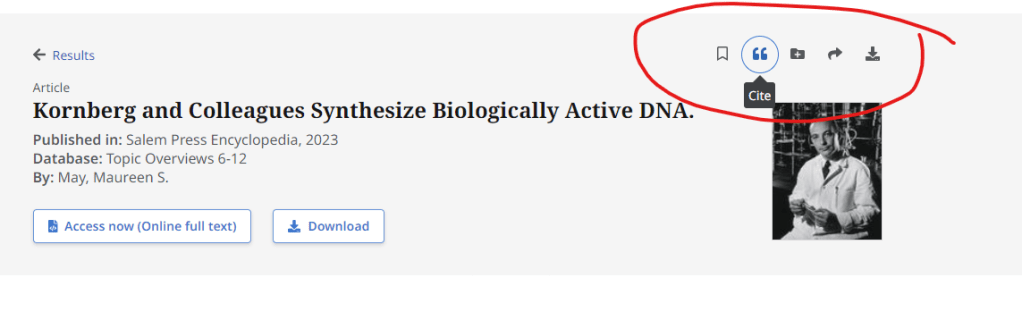
Once you choose an result, you can read or watch it, download it, and, using the tools at the top right, bookmark it for later, organize into a custom folder, share, and create a citation if you need it.
So many, many tools you can use
It would take too long to walk through each of the tools available to you and your student. We hope these examples have been helpful. For those of us who remember physical encylopedias, it would be like having a large room in your house with multiple on multiple sets of encylcopedias. It’s a wealth of free, reliable information at your fingertips, available to you and your student, online and anytime.
It would be well worth it for you and your student to take a little time to browse through and acquaint yourselves with these online resources before that research paper or presentation is assigned. Then you’ll both know just where to start researching and how to do it. Here’s to smooth(er) sailing this school year, with a little help from your library.


wow!! 56Oh, the Horror! An October Book List
LikeLike