
Want an easy tool to find your next great read? One that lets you make lists and recommends books based on what you already like? Goodreads and StoryGraph do that, you say? How about a tool that will do all that and tell you with one click if you can borrow a book from the library? Only Novelist does that – and you can use it free!
Where do I find Novelist?
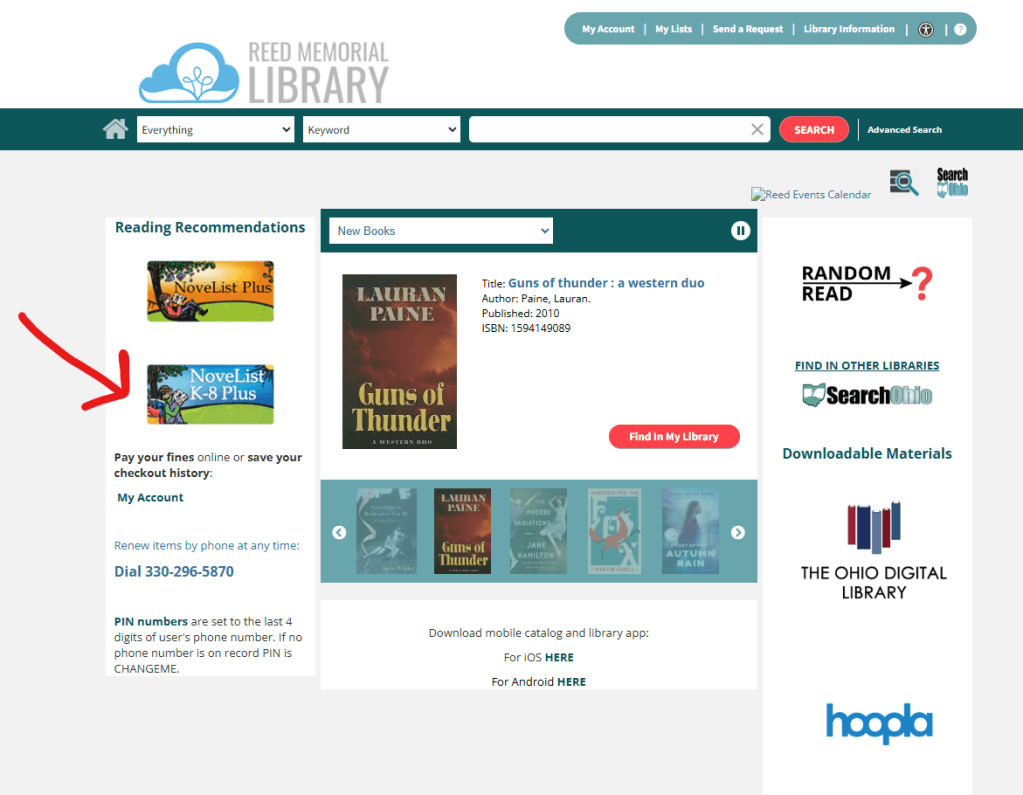
Novelist is a tool you can find on our library’s catalog web page. It’s right there in the sidebar, and you probably never even noticed it. Now that you do know, let’s take a look, because Novelist makes it easy to find a new read and keep track of what you’re already reading. The people behind the software know books and readers, and it shows.

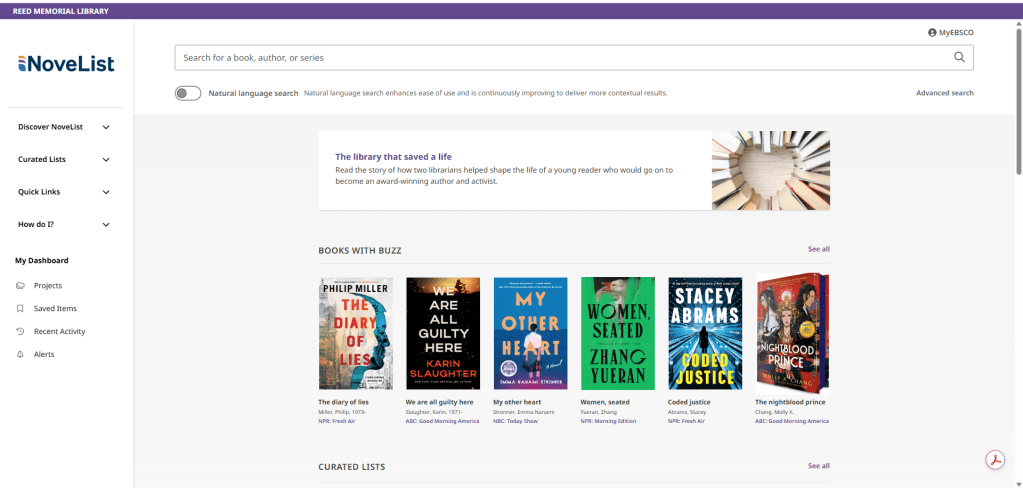
When you click on Novelist from our catalog page, you open a new page that is specific to Novelist. It will ask you to create an account with your choice of login. Then you’ll add your library card number to your account, linking the power of Novelist to our library catalog. Novelist’s home page has recommendations at the top, followed by curated lists to browse. You can explore books by story elements, genres, themes, award winners, ages, and more.
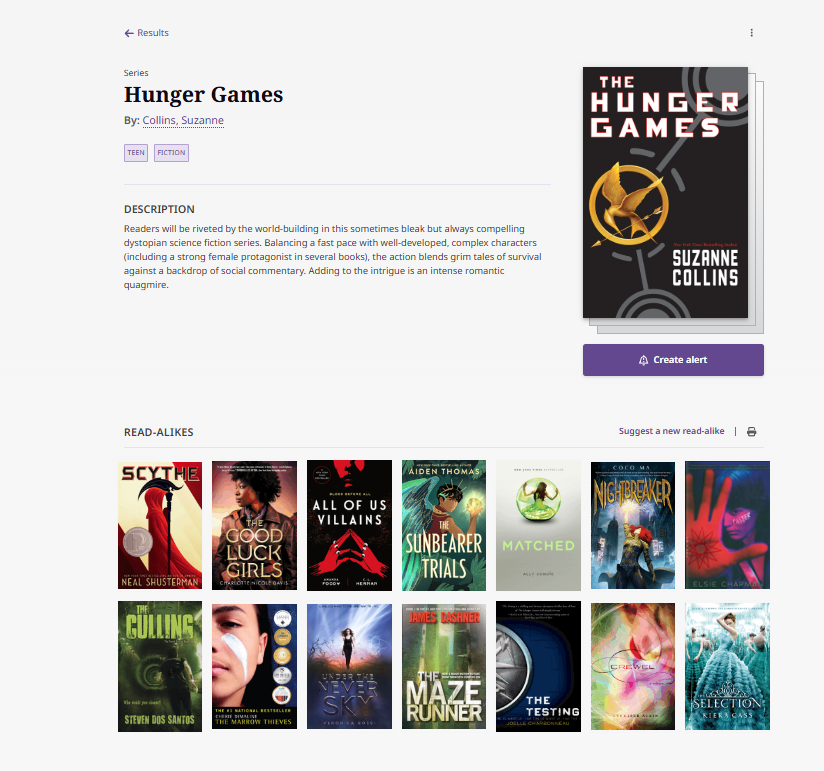
Novelist is great to use when you’re reading a book series. You can see the entire series at a glance and you can sort by publication order and reading order. If you’ve finished a series and want more, or have to wait until your favorite author writes the next installment, check out Novelist’s “read-alikes” section. You can find similar books to the series that you like, and maybe a new favorite.
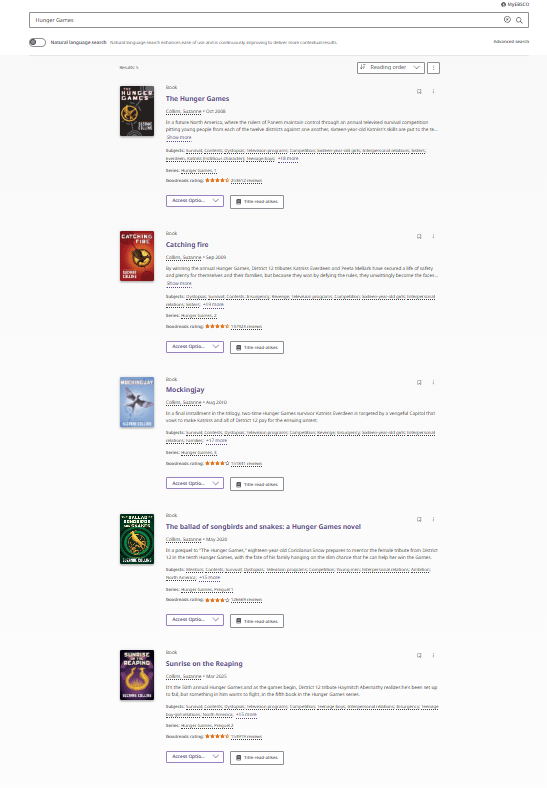
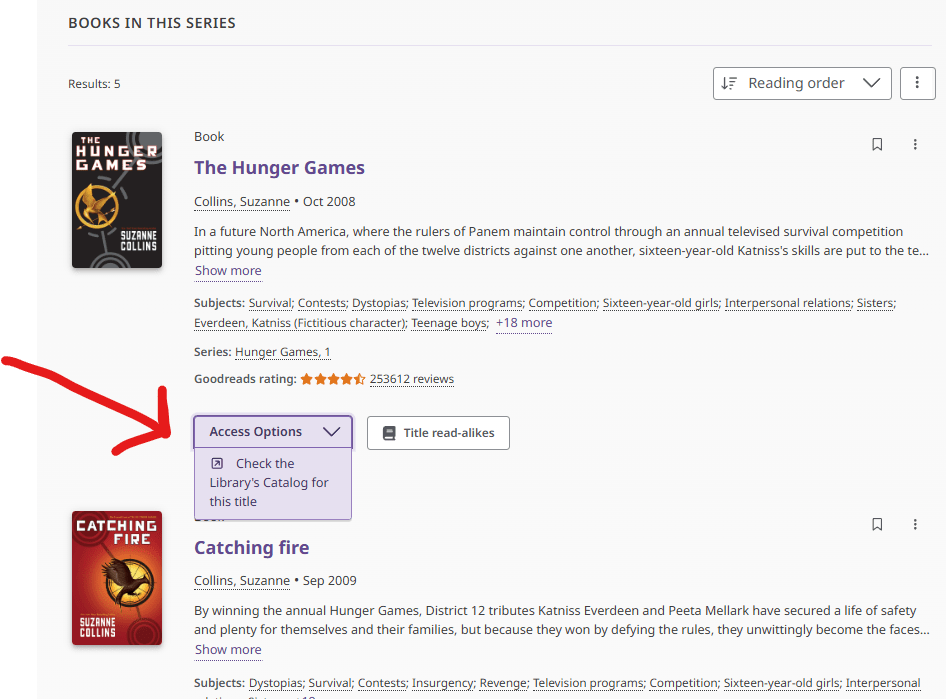
For example, let’s look at the Hunger Games series. Novelist’s search results show me what looks like the first book in the series twice, but the first entry has the word “series” above it and the second entry is the “book” titled The Hunger Games. To see the entire series, click on the “series” entry. Then, you see the first book and a broad description of the whole series. Then, Novelist shows a selection of read-alike books.

Scrolling down, I then find each book in the series. The best part? You can sort the series by publication date, title, newest/oldest, author and most important, you can sort them in reading order. In our example, The Ballad of Songbirds and Snakes is a prequel story, so you would expect that it would appear at the top of the reading order list, right? Nope. Novelist is pretty smart. It knows that most reviewer’s recommend that you read the Hunger Games novels in order, then read Songbirds and Snakes. Of course, you’re free to read any series in and out of order, but it’s nice to know that Novelist isn’t just blindly putting prequels first.
Here’s the best part
The feature that makes Novelist so different from other book services is that little button called “Access Options.” Click on that button and Novelist will search to see if you can borrow a title from the library. When one specific title is displayed, the button changes to “Check Catalog.” With one click, Novelist magically connects to our catalog and you can see all the Hunger Games options, free to borrow from your library.

Is there a tool for kids?
Yes, the other Novelist is K-8Plus, the tool specifically for younger readers. It’s very similar to regular Novelist but adds features to search for books by age ranges and contains books specifically for grades K to 8. Each book result also shows the recommended reader age. This feature is super helpful to quickly know if a book is appropriate for your young reader. All of the other Novelist features are there, and can be associated with either a caregiver or child’s login, whichever you prefer. Novelist K-8 Plus can help you encourage young readers and suggest books they might like. It can also help you find family reads and save them in a list for when you need one.
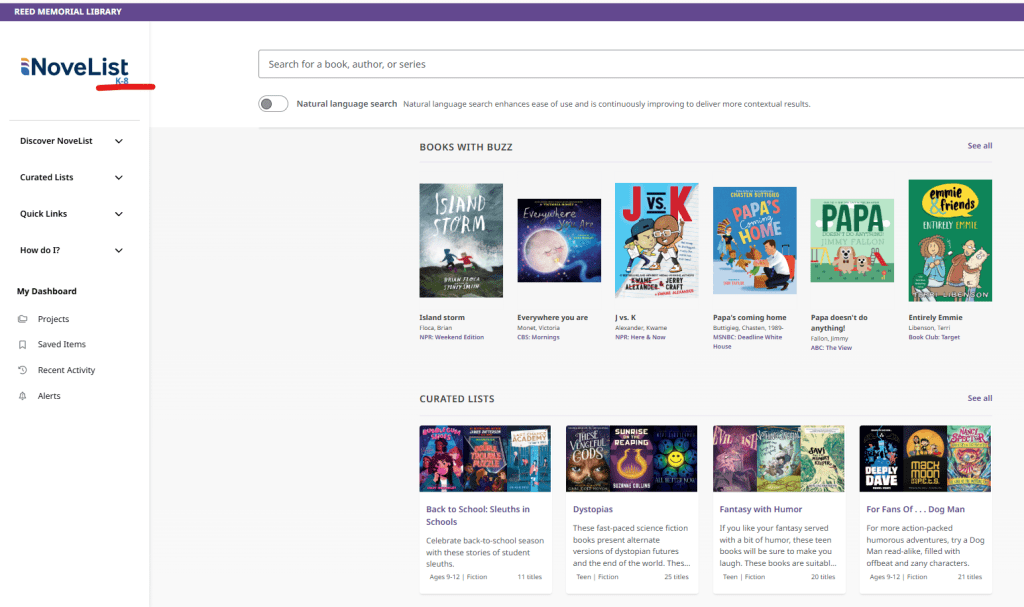
There are plenty more tools in Novelist than we’ve talked about here. You can make lists, sort books into projects, create alerts, and much more. Find out what they are and how to use them in the “How do I?” section of the sidebar. It’s easy to navigate and the instructions are clear and simple to follow. If you’ve never used Novelist, give it a try. You’ll kick your reading up a notch and you just might have a new favorite tool.
 Sincerely, Cornelius