

Did you know you can read the Record Courier online, free, wherever you are? All you need is a digital device (for the reading online part) and one of our library cards. Even better, when you read it this way, you don’t get pop-up ads to distract you from the news.
Keep reading to get the scoop.
We posted about this topic but it’s been a couple of years. Refreshers are good and some steps and features have changed since then. Some of you may be hearing about this benefit for the first time (welcome!).
Free access to the Record Courier online is simple and takes only 4 steps.
- Visit reedlibrary.org
- Click the link to “Read the Record Courier Online”
If you’re reading on a desktop or laptop, the link will look like this:
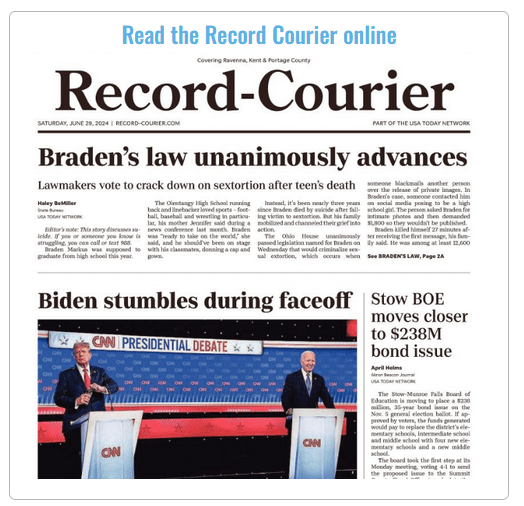
If you’re reading on a tablet or phone, the link will look like this:
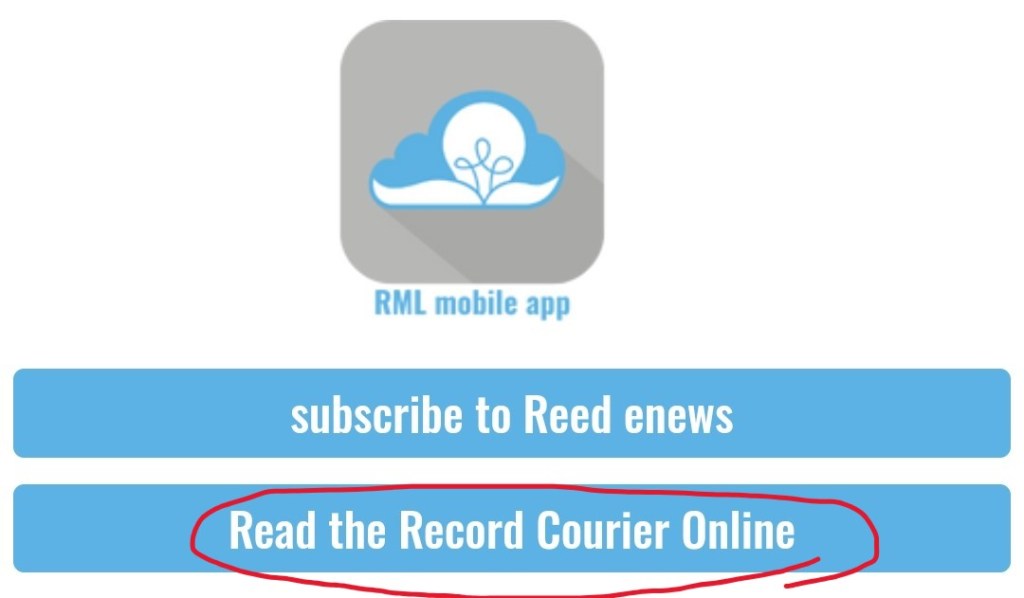
*There are multiple links from our website to get to the Record Courier Archive. If you’re using one of our other links, the process is the same at the next step.
- You will arrive at a login page with our logo. Enter your library card number and PIN and click LOGIN. [What’s my PIN?] Unless you’ve selected a special 4-digit PIN for your library card, the PIN will be the last 4 digits of your phone number.
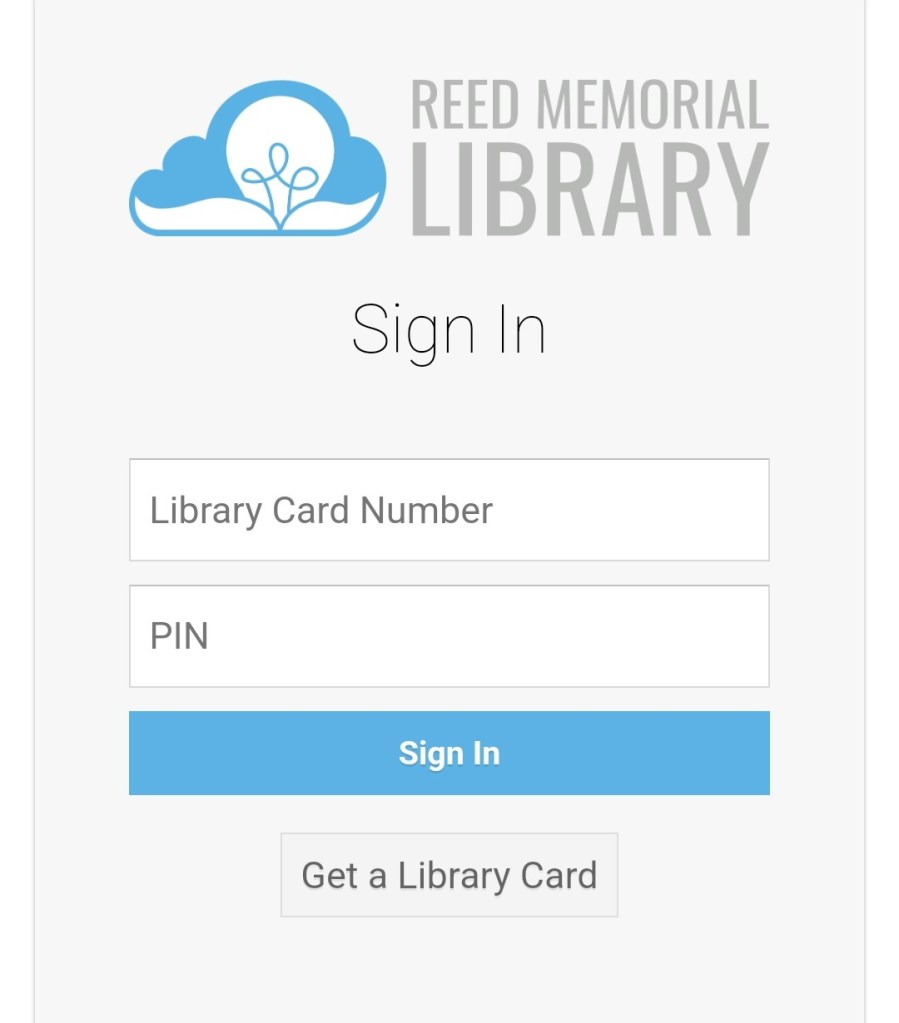
*pro tip, if you want to completely skip the first two steps in the future, bookmark the login page.
- Now that you’re logged in, you can see that you’ve arrived at a NewsBank page. Don’t worry, you’re in the right place. NewsBank is the service we use to provide you with free news from all over the country. You’ll see two listings for the Record Courier.

Why are there two listings? So that you can chooose whether you want to read the Record Courier text version or the image version. The text version is individual articles, in text format and looks like this:

The image version is a scanned image of each page of the newspaper and looks like this:
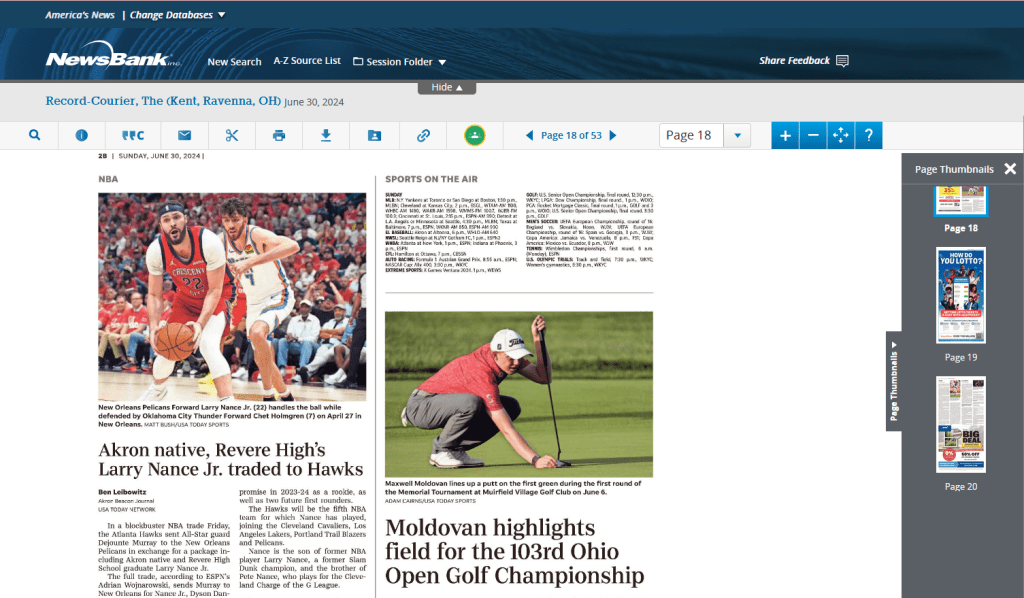
With both versions, you can search for specific articles by keyword, name, topic, date, and other advanced options. Use the search barl if you want to find a specific article or multiple articles that mention the same topic. The image version is great if you just want to browse through the paper. Use the page thumbnails on the right to navigate through pages or scroll to a specific section to read.
NewsBank has a lot of other features to explore. You can share, save, and download articles; clip part of a page and save or print it; save and print the whole page; create a citation (any students out there?) and even save items to your Google Drive.
We’re happy to help you explore the ways to save news and items from the online paper. If you need help, give us a call or ask us on your next visit.
Of course, if you’re inside the library and using our wifi or one of our public computers, you can read the newspaper without logging in and without a library card. (this perk only works inside our building, using our internet access). And if you dislike digital newspapers, you should know that you can read the physical copies of (many different) newspapers, available in our reading room.
No matter how you get your news, we can help you get access to more news at no cost. Once you’ve gotten acclimated to reading the Record Courier online, you may want to explore more of NewsBank’s resources. With NewsBank, you have access to thousands of U.S. news sources. And all you need is your library card.
 Sincerely, Cornelius